
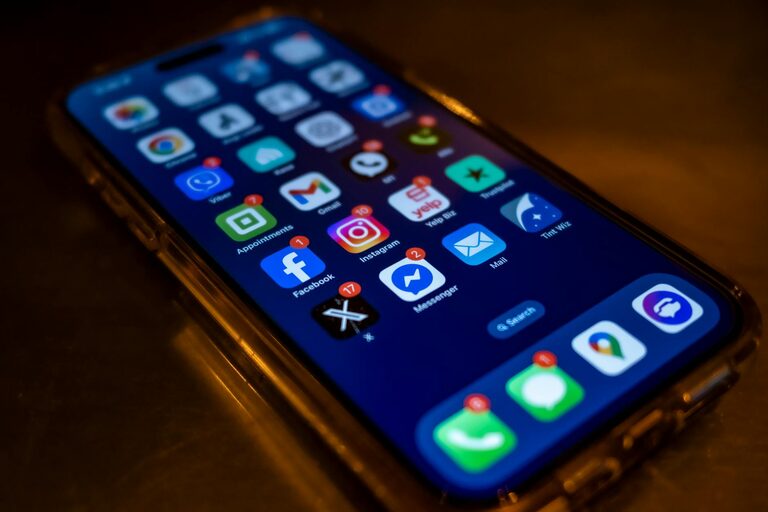
In today’s digital world, notifications constantly demand our attention—from social media alerts to email pings and reminders. While these alerts can be helpful, they can also interrupt your flow, reduce productivity, and create unnecessary stress. Setting boundaries with notifications is essential to maintain focus and balance in your daily life.
This blog post offers practical tips for managing notifications wisely, enabling you to stay in control and achieve a healthier relationship with technology.
Why Setting Boundaries with Notifications Matters
Smartphones, email clients, and apps are designed to capture your attention. Without boundaries, you might find yourself:
– Frequently distracted from important tasks
– Experiencing information overload
– Feeling overwhelmed by constant interruptions
– Struggling to maintain work-life balance
By defining clear limits on when and how notifications appear, you can regain control and improve your productivity and well-being.
1. Audit Your Notifications Regularly
The first step in managing notifications effectively is to review what alerts you currently receive.
– Go through your apps: Check each app’s notification settings and assess if you really need to be alerted.
– Prioritize critical notifications: Identify alerts essential for work, safety, or time-sensitive matters.
– Disable non-essential alerts: Turn off notifications from apps that don’t add value or cause frequent distractions.
Perform this check monthly to keep your notifications optimized.
2. Use Do Not Disturb and Scheduled Quiet Times
Most devices offer features that mute or silence notifications during chosen periods.
– Enable Do Not Disturb (DND) mode: Turn it on when you need focused work time or rest.
– Schedule quiet hours: Set automatic DND during meetings, night time, or family moments.
– Customize exceptions: Allow notifications from select contacts or apps in emergencies.
These tools help create dedicated time blocks free from interruptions.
3. Choose Notification Types Wisely
Not all notifications need to be equally intrusive.
– Limit sounds and vibrations: Use silent or minimal alerts for low-priority apps.
– Turn off pop-ups or banners: Prevent visual distractions by disabling banners for certain apps.
– Opt for summary notifications: Some systems offer grouped summaries delivered at set times.
Tailoring how notifications appear can reduce the feeling of constant interruption.
4. Set App-Specific Notification Rules
Many apps let you customize notifications within their settings.
– Adjust frequency: For example, receive email digests instead of instant alerts.
– Focus on important contacts: Enable notifications only from specific people or groups.
– Mute group chats during busy hours: Avoid unnecessary noise from active conversations.
Taking control on an app-by-app basis leads to a more manageable stream of alerts.
5. Create Technology-Free Zones and Times
Physical and temporal boundaries around device use can help reduce notification overload.
– Designate no-phone zones: Keep bedrooms or dining areas free of devices.
– Establish notification-free periods: Avoid checking notifications during meals or right before bed.
– Practice screen-free time: Use moments like exercise or hobbies to disconnect fully.
These practices strengthen your ability to focus without digital interruptions.
6. Utilize Focus or Productivity Modes
Modern devices offer modes designed to support concentration.
– Activate Focus mode: On platforms like iOS and Android, this mode filters notifications based on your activity.
– Set work-related profiles: Tailor which apps and contacts can reach you during work hours.
– Switch to personal modes: Allow more notifications after work to stay connected with friends and family.
Leveraging these modes enables better balance between availability and focus.
7. Communicate Your Boundaries
If you work in a team or have social circles that expect quick responses, let them know your notification boundaries.
– Inform colleagues: Share your availability and preferred communication channels.
– Set expectations: Clarify when you will and won’t respond to messages or calls.
– Use status messages: Tools like Slack or Microsoft Teams allow you to display your current availability.
Clear communication reduces pressure to constantly check notifications.
8. Regularly Review and Adjust Your Strategy
Your needs and priorities may change over time, so it’s important to revisit your notification settings.
– Assess what is working and what isn’t: Reflect on how interruptions affect your productivity and mood.
– Update preferences: Add or remove notification limits based on changing roles or projects.
– Stay informed about new features: Device operating systems often introduce tools to help manage notifications better.
Continuous refinement ensures your boundaries remain effective.
Final Thoughts
Managing notifications thoughtfully is a key step toward better focus, reduced stress, and healthier technology use. By auditing alerts, using device features like Do Not Disturb and Focus modes, setting app-specific rules, creating tech-free zones, and communicating your boundaries, you can take charge of your digital environment.
Start small—one step at a time—and gradually build a notification strategy that supports your productivity and well-being. Your attention is valuable; protect it wisely.