
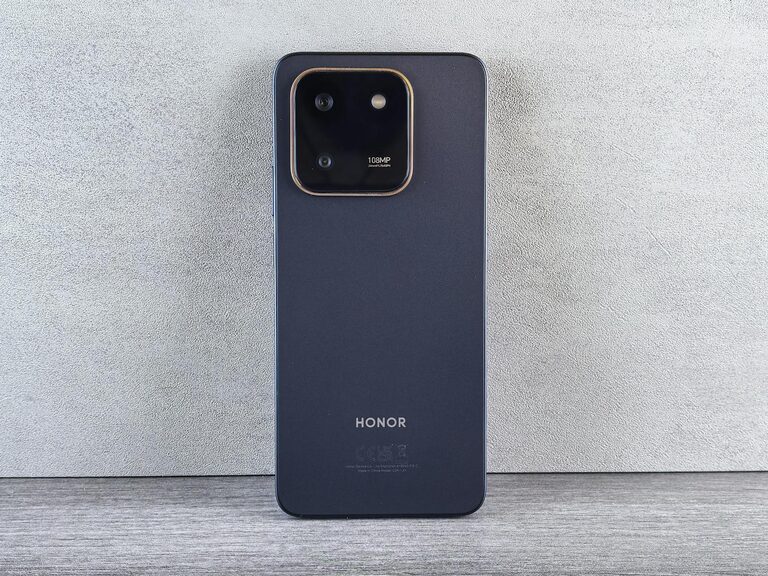
Taking great photos with your phone is easier than you might think. Whether you want to capture memories, share moments on social media, or simply enjoy photography as a hobby, these beginner tips will help you take better phone photos every time. In this post, we’ll cover practical advice that works for all smartphones, helping you enhance your skills and creativity.
Understand Your Phone Camera
Before you start snapping away, take some time to explore your phone’s camera features. Most smartphones come with a variety of settings and modes, such as HDR, portrait, panorama, and night mode. Knowing what your camera can do helps you choose the best options for each situation.
Check Your Camera Settings
– Open the camera app and browse through settings.
– Experiment with resolution and image quality.
– Turn on gridlines to improve composition.
– Learn where your phone stores photos so you can easily find them later.
Focus on Lighting
Lighting is one of the most important factors in photography. Good lighting can turn an ordinary shot into something amazing.
Use Natural Light Whenever Possible
– Shoot outdoors during the early morning or late afternoon for soft, warm light.
– Avoid harsh midday sunlight that creates strong shadows.
– Position your subject facing the light for bright, clear images.
Avoid Using the Flash
– The built-in flash can create harsh, unnatural light.
– If you need extra light, try turning on a nearby lamp or moving closer to a window.
Master Composition Basics
Composition refers to how the elements in your photo are arranged. Following a few simple rules can greatly improve the look of your images.
Use the Rule of Thirds
– Enable gridlines in your camera settings.
– Imagine a tic-tac-toe board over your viewfinder.
– Place important objects along the lines or at the points where they intersect.
Keep It Simple
– Avoid cluttered backgrounds that distract from your main subject.
– Look for clean, uncluttered settings.
– Use negative space around your subject to make it stand out.
Try Different Perspectives
– Shoot from a high angle to capture a broad view.
– Get close and focus on details for a more intimate feel.
– Change your viewpoint to add interest and creativity.
Keep Your Lens Clean
A dirty lens can cause blurry or hazy photos. Regularly clean your camera lens with a soft microfiber cloth to ensure clear and sharp images.
Stabilize Your Phone
Camera shake can ruin an otherwise great photo. You can reduce blur by stabilizing your phone.
Hold Your Phone Steady
– Use both hands to hold your device.
– Rest your elbows on a stable surface.
– Take a deep breath and hold it while pressing the shutter button.
Use a Tripod or Stand
– Consider using a small portable tripod for sharper shots.
– Many affordable options are available and compatible with smartphones.
Experiment with Editing Apps
After taking photos, editing can enhance colors, brightness, and sharpness. There are many free and user-friendly apps available for basic photo editing.
Popular Editing Apps for Beginners
– Snapseed
– VSCO
– Adobe Lightroom Mobile
Editing Tips
– Adjust brightness and contrast carefully.
– Crop to improve composition.
– Use filters sparingly for a natural look.
Practice Regularly
Like any skill, photography improves with practice. Take your phone with you and shoot as often as possible. Review your photos to see what works and what doesn’t, and try new techniques over time.
Bonus: Take Multiple Shots
Don’t be afraid to snap several photos of the same scene. This increases your chances of capturing the perfect moment with the right lighting and focus.
—
By applying these beginner tips, you’ll be well on your way to taking beautiful phone photos that capture your favorite moments with clarity and style. Happy shooting!